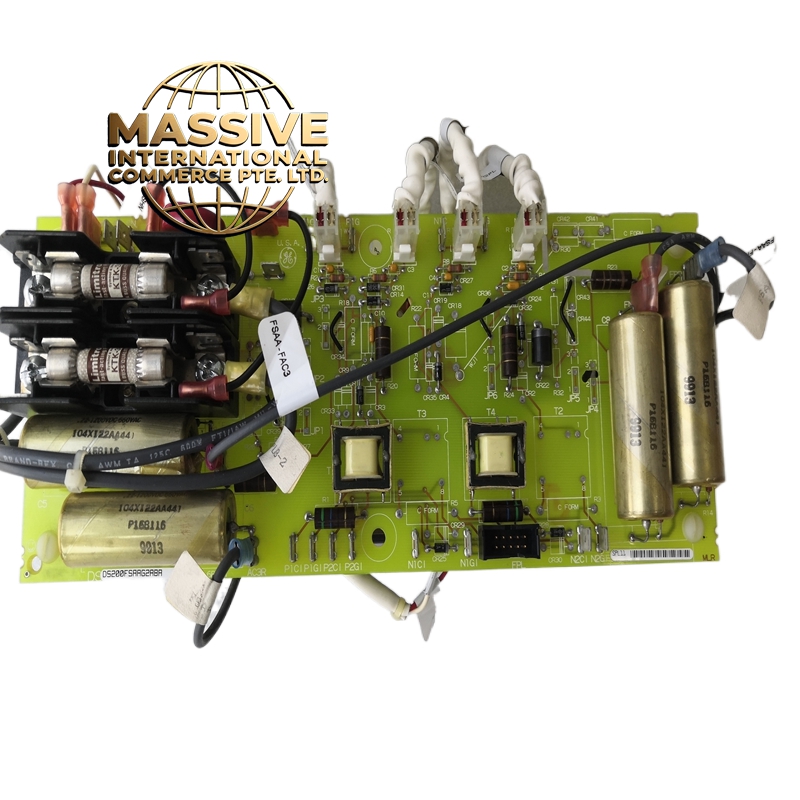
Description
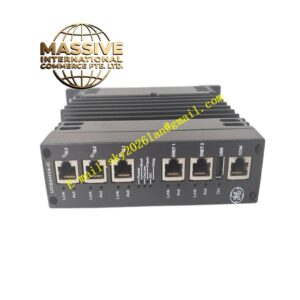
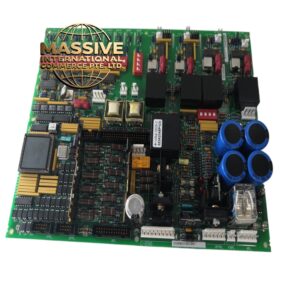
GE DS2020FECNRX010A
- Technical Specifications:
- Interface: 10/100 Mbps Fast Ethernet (RJ-45 connector)
- Protocols Supported: TCP/IP, UDP/IP, Modbus TCP, HTTP, SNMP v1/v2c, DHCP, ARP, ICMP
- Ports: 1 Ethernet port (RJ-45); support for VLAN tagging (802.1Q)
- Data Rate: 100 Mbps full-duplex
- Buffer Memory: 2 MB on-board RAM for packet buffering
- Processor: Dedicated 32-bit network processor for offloading communication tasks from the main CPU
- Isolation: Magnetic isolation (transformer-coupled) on the Ethernet port; 1500 VDC isolation rating
- Power Consumption: 2.5 W typical
- MTBF: Greater than 200,000 hours
- LED Indicators: Link/Activity (green), 100 Mbps (amber), Fault (red)
- Functional Features:
- Dual Network Support: The board can be configured to support two independent Ethernet networks (primary and secondary) for redundancy
- VLAN Support: IEEE 802.1Q VLAN tagging allows the controller to participate in multiple virtual networks on the same physical link
- Quality of Service (QoS): Configurable priority queuing for critical control traffic versus non-critical traffic (e.g., historian data)
- Security: Supports IP filtering (access control lists) to restrict which devices can communicate with the controller; supports SNMP v3 for encrypted management
- Redundancy: In Mark VIe redundant configurations, the board supports seamless failover between primary and secondary networks with zero packet loss
- Diagnostics: Real-time statistics on packet count, error count, collision count, and latency; SNMP traps for fault conditions
- Application Scenarios:
- Power Plants: Connect Mark VI/VIe controller to the plant DCS network for data exchange with the main control room; connect to the historian server for data logging
- Oil & Gas: Remote monitoring of turbine control systems from a central SCADA station; send alarm data to the central operations center
- Manufacturing: Integrate turbine controllers into the plant MES (Manufacturing Execution System) for production data collection
- Wind Farms: Connect wind turbine controllers to the central SCADA system for remote monitoring and control
- Water Treatment: Connect pump station and valve controllers to the central SCADA for remote operation
- Performance Parameters:
- Operating Temperature: 0°C to 60°C
- Storage Temperature: -40°C to 85°C
- Relative Humidity: 5% to 95% non-condensing
- EMC Compliance: IEC 61000-6-2, IEC 61000-6-4, IEC 61000-4-2 (ESD), IEC 61000-4-3 (RF immunity)
- Shock: 30 g, 11 ms half-sine
- Vibration: 2 g, 5–500 Hz
- Material & Structure:
- Form Factor: Mark VI/VIe standard, approximately 180 mm × 120 mm × 15 mm
- Connectors: 1 × RJ-45 Ethernet port (front panel); 64-pin backplane connector
- PCB: 8-layer FR-4 with full conformal coating; Ethernet magnetics (isolation transformers) mounted on a separate sub-board for EMI performance
- Enclosure: Zinc-plated steel with EMI shielding can over the network processor section
- Weight: Approximately 380 grams
- Working Principle:
- Incoming Ethernet frames are received by the PHY (Physical Layer) chip, passed through the magnetic isolation transformer, and buffered in the on-board 2 MB RAM. The dedicated 32-bit network processor examines the frame header, determines the protocol (TCP, UDP, Modbus TCP, etc.), and either processes it locally (for Modbus requests) or forwards it to the Mark VI/VIe CPU via the backplane bus using DMA. Outgoing frames are assembled by the CPU, placed in the output buffer, and transmitted by the network processor through the PHY and isolation transformer. The VLAN tag is inserted or stripped by the network processor hardware, offloading this task from the main CPU.
- Installation Requirements:
- Rack: Mark VI or Mark VIe I/O rack
- Cable: Use Category 5e or Category 6 shielded twisted-pair cable; maximum cable length 100 meters for 100 Mbps
- IP Configuration: Assign a static IP address or use DHCP; configure subnet mask, gateway, and DNS server
- Redundancy: For redundant operation, install a second DS2020FECNRX010A board and connect it to a separate Ethernet switch; configure primary/secondary in the Mark VIe software
- Grounding: Connect the cable shield to chassis ground at the controller end only
- Usage Notes:
- Do not connect the Ethernet port directly to the internet without a firewall; the board supports IP filtering but is not a replacement for a proper network security appliance
- IP Address Conflict: Ensure the controller’s IP address is unique on the network; a conflict will cause intermittent communication failures
- QoS Configuration: Set the control traffic (e.g., GOOSE, Modbus) to high priority and the historian traffic to low priority to ensure control traffic is never delayed
- Firmware: Keep the board firmware up to date; GE periodically releases firmware updates that fix security vulnerabilities and improve performance
- Diagnostic LEDs: A steady green link LED indicates a good physical connection; a flashing amber 100 Mbps LED indicates 100 Mbps operation; a red fault LED indicates a hardware or configuration fault