Description
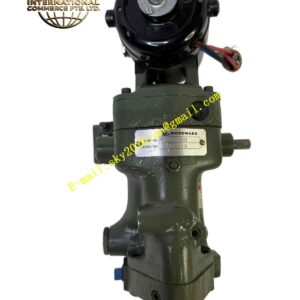
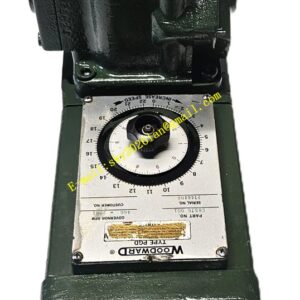
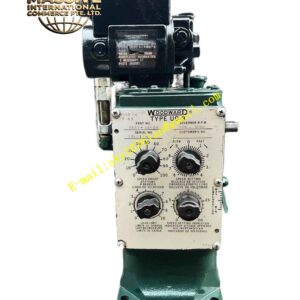
Woodward 8440-2165A
Technical Specifications
- Processor: Upgraded 32-bit microcontroller.
- Communication: Added Modbus TCP/IP option alongside RS-485.
- Analog Resolution: 16-bit ADC/DAC for finer control.
- Memory: Increased non-volatile storage for event logging.
- Compliance: Updated to latest IEC 61508 safety standards.
Functional Features
- Web Interface: Optional embedded web server for remote monitoring via Ethernet.
- Curve Editor: Built-in tool for editing fuel maps without PC software.
- Timestamping: Real-time clock for accurate event logging.
- Trend Buffer: Circular buffer capturing last 1 hour of high-speed data.
Application Scenarios
Preferred for remote unmanned sites and integrated power plants requiring advanced diagnostics.
Performance Parameters
- Data Rate: Modbus TCP supports 100 Mbps Ethernet.
- Clock Accuracy: ±2 seconds per month at 25°C.
- Boot Time: <5 seconds to full operational state.
Material Composition
Same high-reliability materials as 8440-2165, with added EMI filtering on Ethernet ports.
Structural Characteristics
- Ethernet Port: Standard RJ-45 connector with link/activity LEDs.
- USB Port: Front-access USB for configuration backup/restore.
- Display: Higher contrast LCD with backlight.
Working Principle
Identical core governing logic to 8440-2165, with additional background tasks handling web serving, data logging, and enhanced communication protocols without affecting control loop performance.
Installation Requirements
- Connect Ethernet cable to a dedicated VLAN for security.
- Configure IP address via front panel or DHCP before network integration.
- Set correct date/time for accurate event logging.
Usage Precautions
- Secure web interface with strong passwords.
- Regularly backup configuration to USB or network share.
- Verify firmware version matches system requirements before deployment.