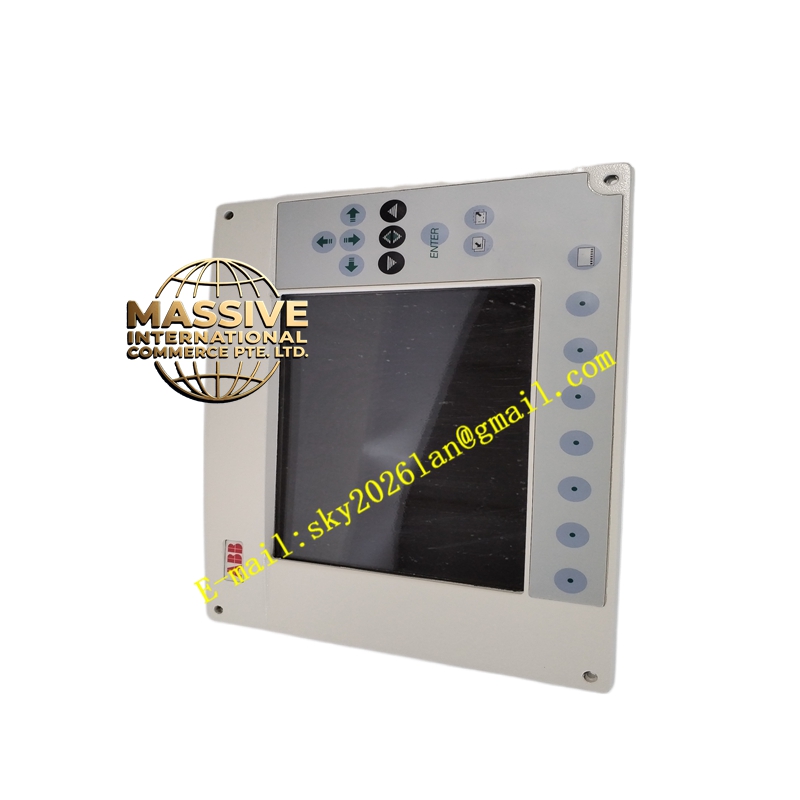
Description
ABB PP836A
- Technical Specifications (typical PP836 — 6.5″ version):
- Display: 6.5″ TFT-LCD, 320 × 240 (QVGA) or 640 × 480 (VGA) depending on version; 65 K colors
- Touch: Resistive analog touch (single-point)
- Keys: 16–24 tactile function keys (F-keys, navigation, numeric entry — model dependent); some versions have integrated soft-keys under display
- Processor / Memory: Integrated RISC CPU; project memory 4–32 MB (model dependent)
- Interfaces: 1 × Ethernet 10/100 Mbps (RJ45), 1 × RS-232/422/485 (D-sub 9), 1 × USB (for project download / mouse)
- Power: 24 V DC (18–30 V), typ. 8–12 W
- Front Protection: IP65 (front), IP20 (rear)
- Operating Temp.: 0 °C to +50 °C (storage –20 °C to +70 °C)
- Mounting: Panel cutout (typically 188 × 144 mm for 6.5″; 261 × 202 mm for 10.1″) — clamp with 4 screws
- Software: ABB Panel Builder 800 (project development); runtime pre-loaded
- Certifications: CE, UL 61010-1, cULus, DNV (some versions)
- Functional Features:
- Vector graphics, multi-language text (Unicode), alarm list, event log (internal buffer)
- Trend (real-time & short historical — limited by internal memory; can log to USB/CF if slot present)
- Recipe handling, security levels (operator/programmer/service passwords)
- Connects to AC 800M via Ethernet — reads/writes controller tags directly (OPC or ABB proprietary protocol over TCP)
- VNC server option (view/control from remote PC)
- Can be used stand-alone with built-in logic (simple sequencing) if controller unavailable — though typically slave to AC 800M
- Application Scenarios:
- Local operator panel on drive cubicle — start/stop, speed ref, alarm ack for single machine
- Small process skid (water treatment package, dosing station) — HMI + AC 800M or Freelance controller
- Machine-level interface in packaging line — shows line status, fault location, allows recipe select
- Backup local panel in large plant where central OIS may be temporarily unavailable
- Material & Structure:
- Front bezel: Anodized aluminum (black or silver) or ABS; polycarbonate touch overlay with hard coat
- Rear housing: Die-cast aluminum or flame-retardant ABS; DIN-rail clip for external PSU sometimes
- Gasket: Silicone or EPDM (IP65 front seal)
- Working Principle:
Panel Builder 800 project (graphics, tags linked to controller addresses, alarms, trends) is downloaded via Ethernet or USB. At runtime the panel cyclically exchanges data with the controller via chosen protocol (Ethernet: ABB TCP or Modbus TCP; Serial: MPI/Modbus RTU). Operator touches screen / presses F-key → writes to controller tag (if write-enabled & logged in with sufficient privilege) → controller processes → updated process values reflected on screen objects next refresh cycle (typical 200–500 ms).
- Installation Requirements:
- Cut panel per dimensional drawing; insert PP836A from front; secure with 4 mounting clamps — ensure gasket compressed evenly for IP65
- Connect 24 V DC supply to rear terminal or to external PSU (observe polarity); if using PoE injector (some versions) connect Ethernet + PoE
- Connect Ethernet cable to plant switch or directly to AC 800M CPU Eth port
- Power on; panel boots to runtime — if first start, may prompt for project download or show “No Project”
- In Panel Builder 800: create project → define communication driver (ABB AC 800M Ethernet or Modbus TCP etc.) → assign controller IP / node addr → create graphics linking tags → download to panel
- Test navigation, alarm ack, setpoint change
- Precautions:
- Cleaning: Use soft cloth + mild detergent; do NOT use solvents or abrasive — scratches touch panel
- Do NOT press hard with sharp object — resistive touch can be damaged
- For alarm ack function: ensure operator logs in with rights — anonymous mode may not allow ack depending on security config
- Backlight life ~50 khrs — dimming can be configured to extend life in 24/7 operation
- Keep USB/project backup — if panel replaced, re-download project via Ethernet/USB from engineering PC or from controller if project stored (some options allow project upload from panel for backup)