Description
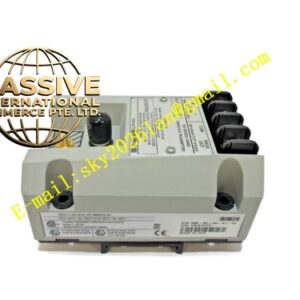
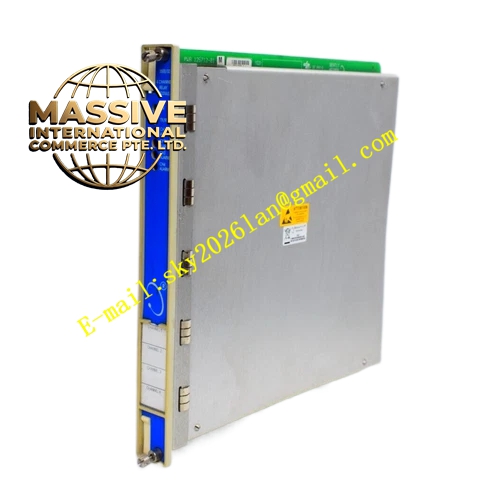
Bently Nevada 3500/62-03-00 (136294-01)
Technical Specifications:
- Product Series: 3500 Machinery Protection System
- Module Type: Process Variable Monitor Module
- Part Number: 136294-01
- Channel Count: 6 channels
- Configuration: 03 = External terminals, 00 = No agency approvals
Functional Features:
- Monitors up to 6 process variable channels simultaneously
- Accepts analog input signals from field-mounted process instruments
- Compares measured values against user-programmable alarm setpoints
- Generates alarm outputs when process variables exceed configured thresholds
- Built-in self-diagnostic capability monitors module and sensor status in real time
- Issues fault signals when module or sensor failures are detected, preventing false alarms or missed alarms
- Supports integration with factory control systems through RS232/RS422 serial communication and industrial protocols including Modbus, Ethernet/IP, and Profibus
- Enables data exchange with DCS/PLC systems for shared monitoring and control
Application Scenarios:
- Process variable monitoring in ethylene high-pressure compressor systems
- Monitoring of “five major machines” in fertilizer production facilities
- Pressure, temperature, and flow monitoring for pumps, compressors, and turbines
- Integration with plant DCS/PLC systems for comprehensive process and machinery monitoring
- Power generation, petrochemical, metallurgical, and chemical processing industries
Performance Parameters:
- Channels: 6 independent process variable channels
- Input Type: Analog process signals (4-20mA, voltage, or other standard process signals)
- Communication: RS232/RS422 serial, Modbus, Ethernet/IP, Profibus
- Alarm Configuration: User-programmable setpoints via 3500 framework configuration software
Material Composition:
- Industrial-grade PCB with precision analog-to-digital converters
- Standard 3500 rack module chassis with external terminal connections
Structural Features:
- Full-height module form factor for 3500 rack
- External terminal block connections for field instrument wiring
- Status LEDs for module operation indication
- Mates with the 3500 backplane for alarm distribution and inter-module communication
Working Principle: The 3500/62 receives analog process variable signals from field instruments through its external terminal connections. The module’s internal signal conditioning circuitry converts these signals to digital values, which are then compared against user-programmable alarm setpoints. When a process variable exceeds its configured threshold, the module generates alarm outputs that are distributed through the backplane to relay modules for protective actions. The self-diagnostic system continuously monitors both the module and sensor health to ensure measurement integrity.
Installation Requirements:
- Install in any available slot to the right of the rack interface module
- Field instrument cables must be connected to the correct external terminal positions
- Configuration must be downloaded using 3500 rack configuration software
- Module must be powered down before connecting or disconnecting field cables
Usage Precautions:
- Regularly check module status indicator LEDs to confirm normal operation
- Perform periodic calibration of monitoring channels to ensure measurement accuracy
- Inspect sensor and cable connections regularly for looseness or damage
- When replacing a faulty module, ensure the new module has the same model number and firmware version
- Do not perform hot-plug operations while the system is energized
- After modifying configuration, download first, then upload, and verify the changes