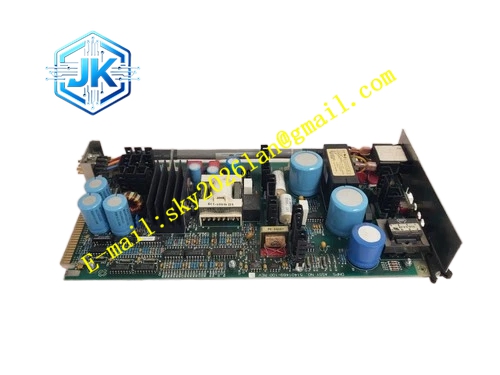
Description
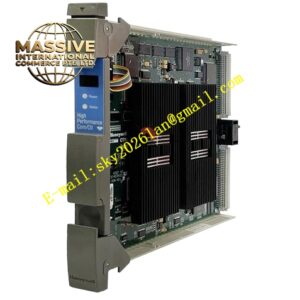
Honeywell 51402497-100
Technical Specifications Key Type: Tactile backlit membrane switch keys Key Quantity: 48 dedicated DCS function keys Communication Interface: GUS internal parallel backplane bus Backlight Power: 5V DC Logic Power Supply: 5V DC Power Consumption: 4.2W Operating Temperature Range: 0℃ to 60℃ Storage Temperature Range: -40℃ to 85℃ Relative Humidity: 5% to 95%, non-condensing Protection Grade: Front panel IP40
Functional Features It provides fixed mapping of DCS operation functions for each physical key. It supports backlight brightness adjustment for dim control room environment. It carries out key debounce processing to avoid repeated triggering from accidental touch. It supports hot swap when GUS station is equipped with redundant interface. It transmits key press event and key identification code to GUS mainboard in real time. It has membrane surface anti-static and anti-oil pollution treatment. It supports alarm acknowledge, loop setpoint change, screen page switching and manual/auto mode switching operation.
Application Scenarios Built-in operation keyboard for GUS operator station and engineering station. Replacement of damaged membrane keyboard of on-site TPS control room operator stations. Human-machine interface spare parts for petrochemical, power and natural gas plant DCS control rooms.
Performance Parameters Key Service Life: ≥10 million times of pressing Key Response Time: ≤15ms Backlight Adjustment Range: 10% to 100% brightness Key Repeat Delay: Configurable 200ms to 1000ms
Material Composition Membrane layer: PET polyester film with conductive silver paste circuit Tactile dome metal switches LED backlight chips Signal decoding logic chip Gold-plated back edge fingers Anti-static matte surface coating ABS plastic fixing frame
Structural Features Flat integrated membrane keyboard structure, matched with standard GUS station panel mounting size. Front surface is printed with permanent function marking for each key. Backlight LED layer is arranged under the membrane circuit for uniform light output. Gold-plated edge fingers connect to the internal backplane bus of GUS rack. Seal edge design prevents dust and oil vapor from entering the internal circuit layer.
Working Principle When operator presses one membrane key, the internal dome switch conducts the corresponding conductive circuit. The decoding chip scans the key matrix, identifies the key number and generates corresponding function code. It transmits key event signal and function code to GUS mainboard through backplane bus. The GUS operating system maps the received code to predefined DCS operation instruction and executes corresponding operation such as alarm acknowledgement or page switching. The backlight circuit receives brightness control signal and adjusts LED luminous intensity.
Installation Requirements Align the module with the dedicated keyboard slot of GUS station and insert horizontally. Tighten the side fixing buckles to ensure stable contact of edge fingers. Connect the backlight control wiring to the designated terminal of GUS power board. After power on, enter GUS system hardware configuration interface and activate keyboard mapping. Test every function key to confirm correct command response.
Precautions Release static electricity before installation to protect membrane conductive circuit. Do not use sharp hard objects to press the membrane surface, which will scratch the conductive layer. Avoid spraying cleaning liquid directly on the keyboard surface during control room cleaning. High temperature and oil vapor environment will accelerate aging of PET membrane layer. This keyboard is exclusive for GUS station, cannot be used for general industrial PC.