Description
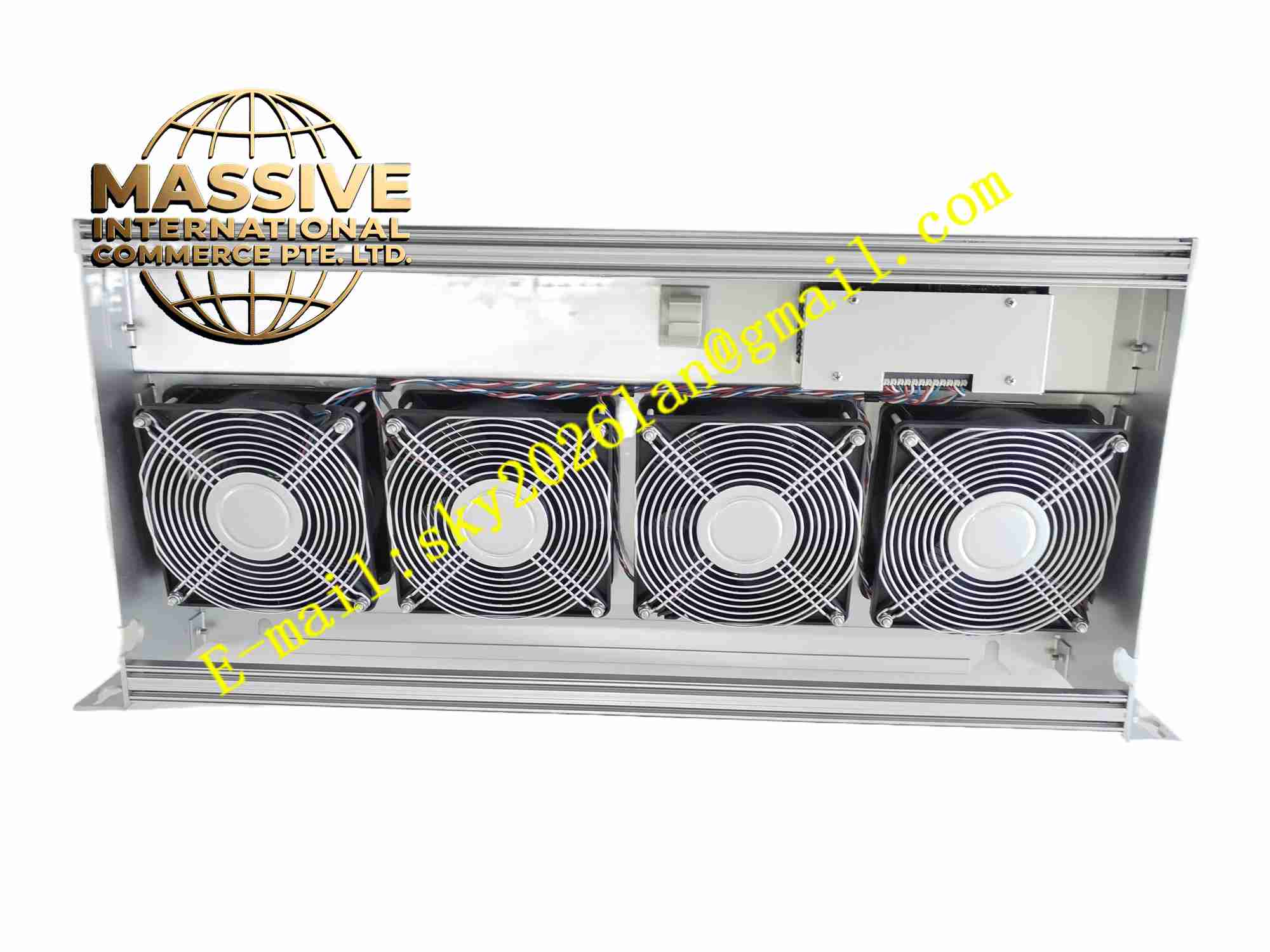
Honeywell X-FAN 1803
Technical Specifications: Rated voltage: 24VDC or 115/230VAC Fan type: axial cooling fan Air flow: defined airflow volume for DCS rack cooling Protection rating: IP20 Operating temperature: -10℃ to +60℃ Mounting: rack mounting bracket integrated
Functional Features: Forced convection heat dissipation for DCS rack electronic modules. Built-in fan speed monitoring function for fan failure alarm. Easy plug-in installation inside Honeywell control rack. Low vibration design to reduce impact on sensitive electronic boards. Long service life bearing structure.
Application Scenarios: Honeywell DCS control cabinet, industrial PLC rack, safety controller cabinet, process automation control room equipment.
Performance Parameters: Continuous operation service life over 50,000 hours. Fan speed feedback signal output for rack fault monitoring.
Material Composition: Fan frame: plastic and metal frame. Fan impeller: reinforced plastic. Bearing: ball bearing. Mounting bracket: zinc plated steel. Wiring terminal block: flame retardant plastic.
Structural Features: Axial fan with fixed mounting bracket. Pre-wired terminal for easy rack wiring connection. Fan speed sensor integrated inside fan assembly.
Working Principle: Fan rotates to generate continuous airflow inside control rack. Hot air around electronic modules is discharged out of cabinet to reduce internal ambient temperature. Speed sensor monitors fan rotation speed in real time. When fan stalls or speed drops below threshold, fault signal is sent to system controller to trigger cabinet alarm.
Installation Requirements: Install into dedicated mounting position inside Honeywell DCS rack. Follow airflow direction marking on fan housing. Secure mounting bracket firmly to avoid vibration loosening. Connect power and speed monitoring wiring to rack terminal block.
Usage Notes: Cut power supply before fan assembly replacement. Clean fan impeller dust regularly to maintain airflow efficiency. Check fan speed alarm function after installation. Replace fan immediately upon stall fault alarm.