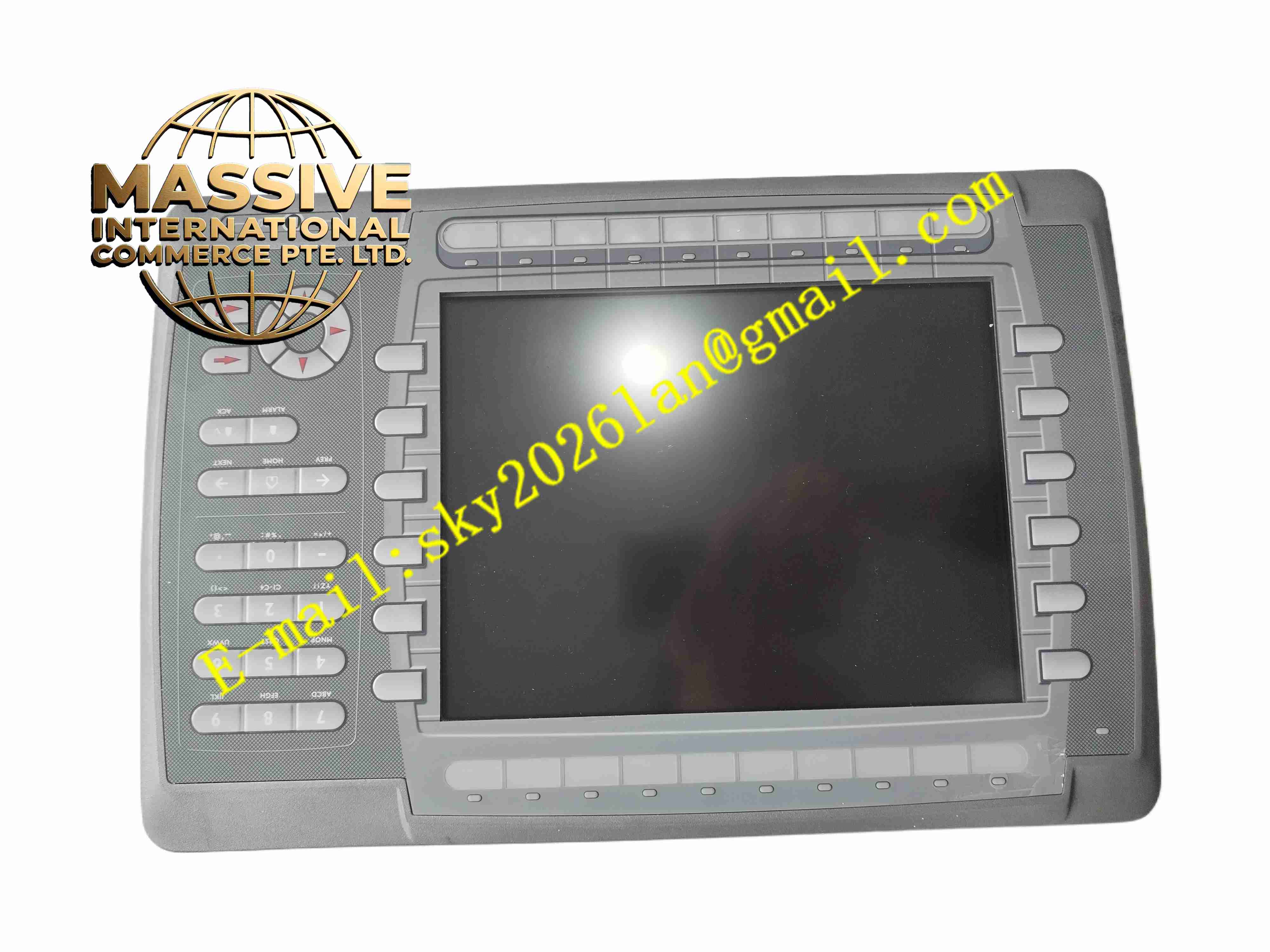
Description
Mitsubishi E1100 Human-Machine Interface
Technical Specifications
- Brand: Mitsubishi
- Model: E1100
- Product Type: Human-Machine Interface
- Display: 10.4-inch TFT CCFL display
- Resolution: 800 × 600 pixels
- Backlight Brightness: 350 cd/m²
- Backlight Life: Approximately 50,000 hours
- Supply Voltage: 20–30 VDC
- Power Consumption: Maximum 12 W
- Internal Fuse: 3.15 A DC fuse
- Ethernet Port: 1 × 10/100 Base-T, shielded RJ45
- Serial Ports: RS-232 with RTS/CTS support; RS-422/RS-485
- Serial Connectors: 9-pin or 25-pin D-sub connectors
- Operating Temperature: 0°C to 50°C
- Certifications: UL, DNV, IACS, RINA
Functional Features
- Graphical Operation: Provides clear process visualization for operators.
- Ethernet Connectivity: Supports 10/100 Mbps Ethernet communication.
- Serial Connectivity: Supports RS-232 and RS-422/RS-485 interfaces.
- PLC Integration: Connects to PLCs, drives, servos, and controllers.
- Configuration Software: Configured using E-Designer on a personal computer.
- Bright Display: 350 cd/m² backlight supports visibility in industrial lighting.
- Marine and Industrial Certification: Certified by UL, DNV, IACS, and RINA.
- Energy-Efficient Design: Maximum 12 W power consumption.
Application Scenarios
- Factory automation systems
- Process control panels
- Machine operator interfaces
- PLC monitoring stations
- Marine and offshore control systems
- Packaging and material handling equipment
- Water treatment and utility monitoring
Performance Parameters
- Display Quality: 800 × 600 resolution with CCFL backlight.
- Communication Speed: 10/100 Mbps Ethernet.
- Serial Communication: RS-232, RS-422, and RS-485 support.
- Power Efficiency: Up to 12 W maximum consumption.
- Environmental Range: 0°C to 50°C operating temperature.
- Reliability: Designed for continuous industrial operation.
Material Composition
- Front Panel: Industrial-grade housing with display window.
- Display Module: 10.4-inch TFT CCFL screen.
- PCB: Main control board with communication and processing circuits.
- Connectors: RJ45 Ethernet connector and D-sub serial connectors.
- Power Circuit: DC input protection with internal fuse.
- Housing: Rugged enclosure for industrial environments.
Structural Features
- 10.4-Inch Display: Provides sufficient screen area for process graphics.
- Compact Industrial Design: Suitable for control panel mounting.
- Multiple Communication Ports: Ethernet and serial ports support flexible integration.
- Shielded RJ45 Connector: Improves Ethernet noise immunity.
- D-Sub Serial Ports: Supports legacy and industrial serial devices.
- Certified Construction: Meets UL, DNV, IACS, and RINA requirements.
Working Principle
The E1100 connects to automation controllers through Ethernet or serial interfaces. It reads process data such as status, alarms, setpoints, and measurements, then displays the information on its 10.4-inch screen. Operators interact with the HMI through the touchscreen or interface elements to send commands, adjust parameters, or acknowledge alarms. Configuration is created in E-Designer and downloaded to the HMI.
Installation Requirements
- Mount the HMI in a control panel or operator station.
- Provide a 20–30 VDC power supply with appropriate protection.
- Use shielded Ethernet cables for network connections.
- Verify serial port wiring for RS-232, RS-422, or RS-485.
- Ensure adequate ventilation around the rear housing.
- Keep the display surface clean and free from mechanical impact.
- Configure the HMI using E-Designer before deployment.
Precautions for Use
- Do not exceed the 20–30 VDC supply range.
- Ensure correct serial communication settings before connection.
- Avoid installing the unit in environments above 50°C.
- Do not expose the display to strong mechanical impact.
- Use only compatible communication cables and connectors.
- Back up HMI configuration projects before maintenance.
- The E1100 does not include USB ports or an SD memory expansion slot.
- Only trained personnel should configure or modify HMI screens.