Description
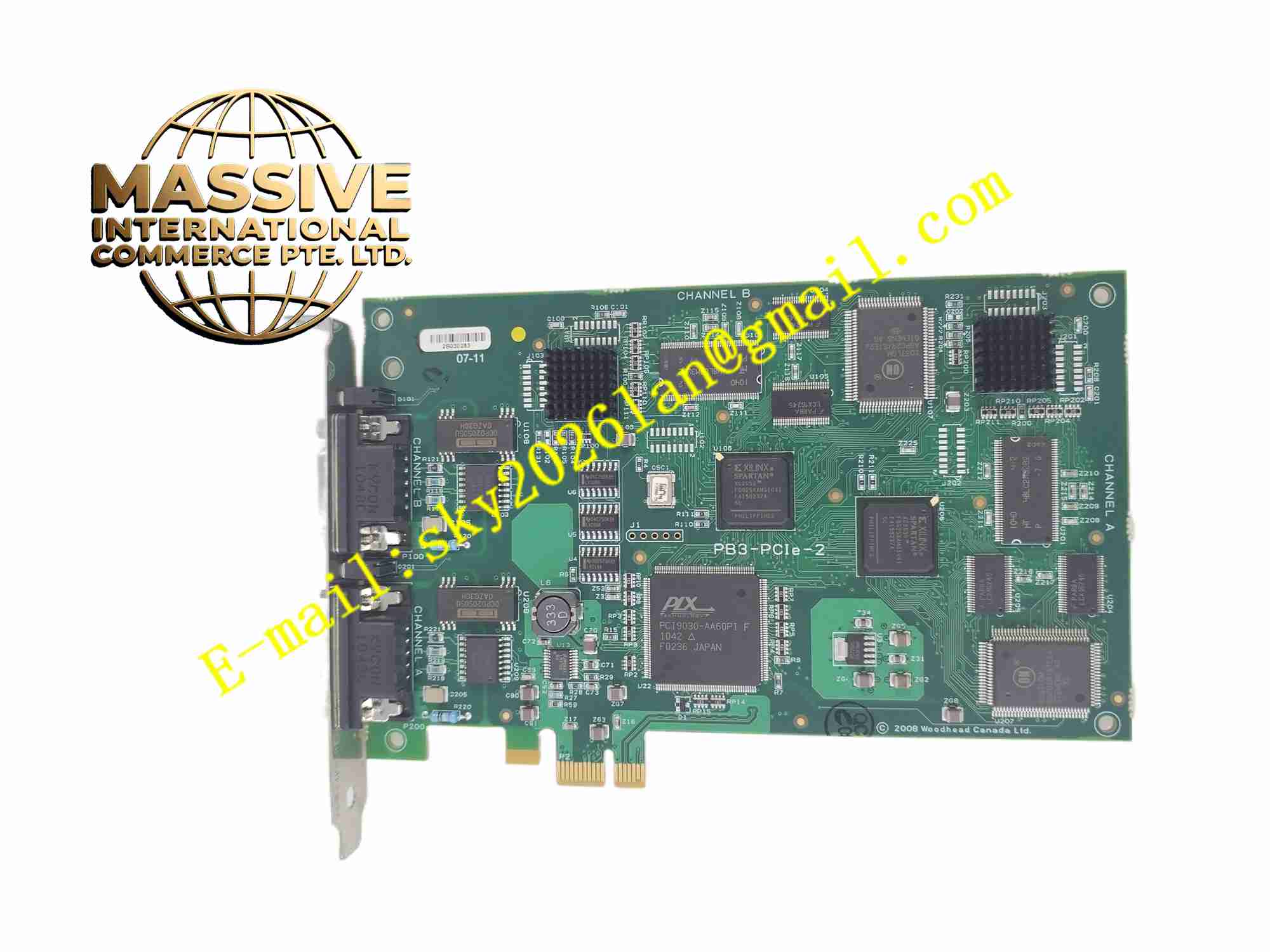
Molex SST-PB3-PCIE-2
Technical Specifications PCIe x1 host interface; PROFIBUS-DP master or slave mode; Onboard protocol processor; D-Sub PROFIBUS connector; Operating temperature 0°C to +60°C; 3.3V PCIe power supply; LED bus status indicators.
Functional Features Independent onboard processor handles PROFIBUS protocol; Supports PROFIBUS-DP master and slave operation; Cyclic real-time I/O data transfer; Acyclic parameter read and write; Bus diagnostic and error reporting; Hot plug not supported; Windows and Linux driver available.
Application Scenarios Industrial PC machine controller; Factory data acquisition workstation; Production line monitoring computer; Industrial test measurement system; Legacy equipment retrofit with IPC; Power station monitoring IPC system.
Performance Parameters PCIe data transmission bandwidth stable; PROFIBUS cyclic data cycle accurate; Bus fault diagnosis response fast; Onboard data buffer prevents data loss; Communication noise immunity meets industrial requirement.
Material Composition FR4 multi-layer PCB; PCIe gold finger edge connector; PROFIBUS protocol processor; PROFIBUS transceiver chip; SRAM memory buffer; Metal D-Sub connector; Metal PCIe bracket with mounting screw hole; LED indicators.
Structural Features Standard low-profile PCIe card form; Gold-plated PCIe edge connector to plug into IPC motherboard slot; Metal rear bracket with D-Sub connector; LED indicators on rear bracket; Mounting notch for chassis fixing screw.
Working Principle The card inserts into PCIe slot of industrial PC and gets power from PCIe bus. Onboard processor executes PROFIBUS protocol stack. It communicates with PROFIBUS slave nodes through D-Sub connector and fieldbus cable. Cyclic input data collected from field slaves transfers to IPC memory through PCIe interface. Control output data from IPC transmits to PROFIBUS slaves. The card continuously monitors bus communication state and uploads diagnostic information to host software.
Installation Requirements Power off industrial PC before card installation; Insert card into PCIe slot and fasten metal bracket screw; Install device driver on host operating system; Use PROFIBUS shielded twisted pair cable with bus terminator; Separate fieldbus cable from power wiring.
Precautions for Use Take anti-static protection before handling PCB card; Confirm PCIe slot compatibility; Do not operate without correct bus terminator; Check baud rate setting matches all bus devices; Keep PC cabinet ventilation to maintain operating temperature.