
Description
GE SR469-P1-HI-A20-T
Technical Specifications:
- Series: GE Multilin SR469 Motor Management Relay
- Phase CT Secondary: 1 A (P1)
- Control Power: HI = 90–300 V DC, 70–265 V AC, 48–62 Hz
- Analog Output: 4–20 mA (A20)
- Display: Enhanced display with Ethernet 10Base-T (T)
- Communication: RS-232 program port, RS-485, Ethernet 10Base-T
- Ground CT Inputs: Two inputs
- VT Input: Delta or wye configurations
- Drawout Construction: Yes
- Conformal Coating: No (standard environment)
Functional Features:
- All protection and diagnostic features of the SR469 series
- Integrated Ethernet 10Base-T port for direct network connectivity
- Enhanced display with larger LCD for local diagnostics
- EnerVista software integration via Ethernet or serial
- Oscillography, event recording, and motor diagnostics
- Sealable drawout handle for security
Application Scenarios:
- Medium-voltage motor protection requiring Ethernet SCADA integration
- Industrial plants with Ethernet-based monitoring networks
- Power generation, steel, cement, and chemical industries
- Applications needing remote access via Ethernet
Performance Parameters:
- Same protection performance as SR469-P1-HI-A20-E
- Ethernet 10Base-T enables higher-speed data exchange than serial-only variants
- Comprehensive metering: A, V, W, var, VA, PF, Hz, Wh, varh, demand
Material and Structural Characteristics:
- Drawout relay case with matching enclosure
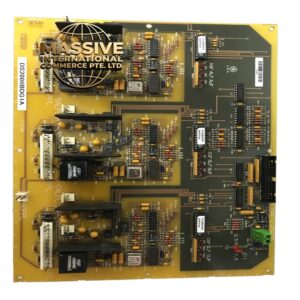
- Industrial-grade PCB with Ethernet interface circuitry
- Front panel with enhanced LCD, status LEDs, keypad, and Ethernet connector
- Rear terminal blocks for CT, VT, control power, and I/O
Working Principle: Identical to SR469-P1-HI-A20-E, with the addition of an Ethernet 10Base-T interface that enables the relay to communicate directly with SCADA/HMI systems over Ethernet, supporting faster data exchange and remote access compared to serial-only communication. Installation Requirements:
- Install in a protection relay panel using the SR drawout case
- Connect CTs, VTs, and ground CT per schematics
- Wire control power (90–300 V DC or 70–265 V AC)
- Connect Ethernet 10Base-T to the plant network
- Configure IP address and setpoints using EnerVista software
Usage Notes:
- Configure Ethernet IP parameters to match plant network
- Verify network security settings to prevent unauthorized access
- Apply same thermal model and K-factor considerations as other SR469 variants
- Use the sealable drawout handle for security