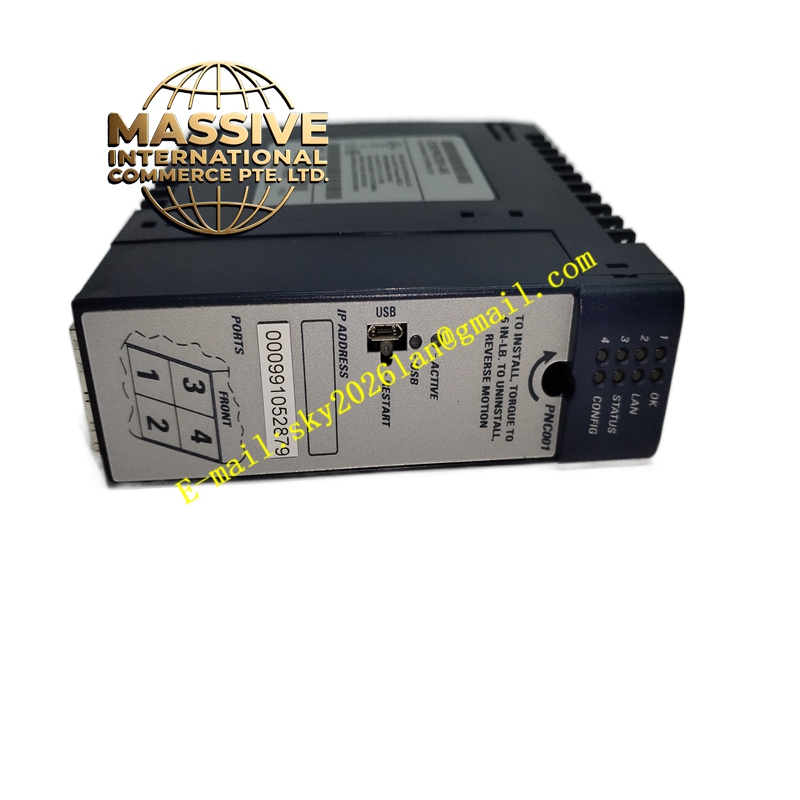
Description
GE IC695PNC001 Technical Specifications:
- Protocol Support: PROFINET Version 2.2 Universal Class A IO Controller.
- CPU Compatibility: Compatible with PACSystems RX3i CPU315 or CPU320 (requires firmware version 7.0 or higher).
- Network Capacity: Supports up to 64 I/O devices per controller and up to 128 I/O devices per network.
- Data Update Rate: Highly configurable update intervals ranging from 1 ms to 512 ms (1, 2, 4, 8, 16, 32, 64, 128, 256, 512 ms).
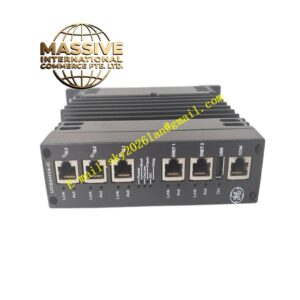
- Physical Ports: Features two (2) RJ-45 Ethernet ports and two (2) SFP (Small Form-factor Pluggable) slots.
- Configuration Port: Includes one (1) Micro-USB connector for direct local configuration and diagnostics.
Functional Features:
- Flexible Topology Support: Natively supports Ring, Star, and Daisy-chain/Line network topologies for versatile industrial plant layouts.
- Advanced Diagnostics: Features an internal clock synchronized with the RX3i CPU to provide precise, time-stamped network diagnostics.
- Independent Restart: Equipped with a dedicated manual restart button to reboot the PROFINET controller without cycling power to the entire RX3i system.
- Direct Access: Built-in Command Line Interface (CLI) accessible via Telnet or the Micro-USB port for direct monitoring and configuration.
- Hot-Swappable: Supports hot insertion and removal to minimize system downtime during maintenance.
Application Scenarios:
- High-speed distributed I/O control in manufacturing automation.
- Integration of third-party devices into the PACSystems RX3i ecosystem.
- Continuous process control in petrochemical, water treatment, and power generation facilities.
Performance Parameters:
- Power Consumption: Draws 0.5 A at 5.5 VDC without modules. Maximum consumption reaches 2.2 A when two SFP modules are installed.
- Internal Power Draw: Maximum internal power consumption is 1.5 A at 5.5 VDC.
- Installation: Occupies exactly one (1) single slot in the RX3i universal backplane.
Material Composition & Structural Characteristics:
- Enclosure: Ruggedized industrial plastic housing designed to withstand harsh electromagnetic environments.
- Connectors: High-reliability RJ-45 jacks and cages ( transceivers are sold separately).
- Indicators: Front-panel LEDs for real-time visual status monitoring of network activity, module health, and port link status.
Working Principle: The PNC001 module plugs directly into the RX3i universal backplane and translates the internal PCI bus signals into PROFINET Ethernet frames. It manages the cyclic data exchange with remote I/O devices, handles the PROFINET protocol stack, and continuously monitors the network for faults, mapping all diagnostic data directly into the CPU’s memory for centralized processing.
Installation Requirements:
- Slot Placement: Must be installed exclusively in the main host rack containing the RX3i CPU. A single CPU can support up to four PNC001 modules.
- Backplane: Requires a Universal Backplane (IC695 series).
- Wiring: Use standard CAT5e/CAT6 Ethernet cabling for RJ-45 ports and appropriate fiber optic patch cables for SFP ports.
Usage Precautions:
- Modules: The SFP cages are empty by default; compatible transceivers must be purchased separately if fiber optic connectivity is required.
- Thermal Management: Operating temperature is rated from 0°C to 60°C. If multiple SFP modules are installed, the maximum ambient temperature may need to be derated to ensure proper cooling.
- IP Configuration: All PROFINET ports on this module share a single IP address assignment.
- Firmware Upgrades: Utilize the WinLoader software utility for safe and reliable firmware updates.