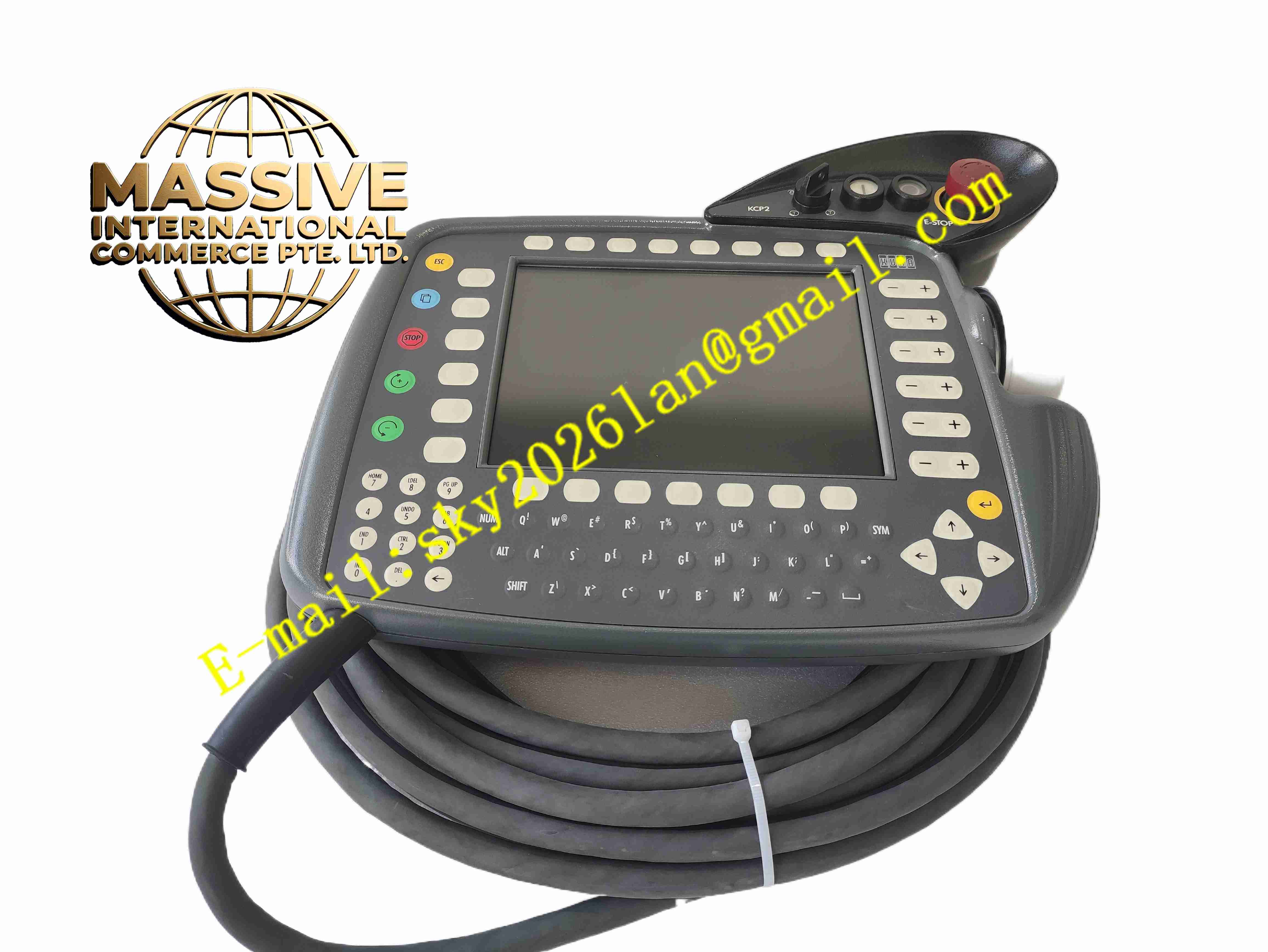
Description
KUKA KCP2 00-130-547
Technical Specifications
Brand: KUKA
Model: 00-130-547
Series: KCP2
Type: Teach pendant / HMI
Display: 8-inch color graphic display, 640 × 480 VGA resolution
Input devices: membrane keyboard, 6D mouse
Safety controls: emergency stop, drive start/stop, mode selector, dead-man/enable switch
Connectivity: Ethernet port for PC archiving; DIN socket for external keyboard
Dimensions: approximately 260 × 210 × 50 mm
Weight: approximately 4 kg
Controller compatibility: KR C2 and KR C3 robot control cabinets
Functional Features
8-inch color VGA display for clear status visualization
Membrane keyboard for numeric and function input
6D mouse for intuitive robot jogging
Emergency stop for immediate safety shutdown
Enable/dead-man switch for safe manual operation
Mode selector for T1, T2, AUT, and EXT modes
Drive start and stop control
Ethernet interface for data archiving
External keyboard connection option
Handheld ergonomic design for mobile robot teaching
Application Scenarios
KUKA KR C2 and KR C3 robot programming
Manual robot jogging and coordinate teaching
Production line commissioning
Robot path verification and cycle testing
Maintenance and diagnostic access
Welding, handling, palletizing, and assembly robot operation
Training environments for industrial robot operators
Performance Parameters
Display size: 8 inches
Resolution: 640 × 480 VGA
Input method: membrane keys and 6D mouse
Safety functions: E-stop, enable switch, mode selector
Communication: Ethernet
External interface: DIN socket for keyboard
Weight: approximately 4 kg
Physical size: 260 × 210 × 50 mm
Material Composition
Industrial polymer housing
Color LCD panel
Membrane keyboard overlay
6D mouse joystick mechanism
Emergency stop switch assembly
Enable/dead-man switches
Mode selector switch
PCB with display driver and interface electronics
Ethernet communication interface
DIN keyboard connector
Cable harness and controller interface connector
Protective sealing elements
Structural Features
Handheld teach pendant form factor
Front-mounted 8-inch display
Integrated membrane keypad
6D mouse positioned for thumb operation
Emergency stop button on front face
Enable switches on rear handle area
Mode selector switch
Status LEDs
Ethernet port
DIN socket for external keyboard
Robust industrial housing
Cable connection to robot controller
Working Principle
The KCP2 connects to the KUKA robot controller through a dedicated interface cable. Operator inputs from the keyboard, 6D mouse, enable switches, and mode selector are transmitted to the controller, which interprets them as motion commands, program edits, or system operations. The display receives status data from the controller and presents robot position, program flow, alarms, I/O states, and configuration menus. The enable switch must be held in the correct position for manual motion, while the emergency stop interrupts safe torque off when pressed.
Installation Requirements
Connect the teach pendant cable to the KCP2 port on the KR C2 or KR C3 controller
Ensure the connector is fully seated and locked
Inspect the cable for damage before operation
Verify the emergency stop function before enabling motion
Confirm the correct controller software version compatibility
Mount the pendant holder near the robot cell when not in use
Keep the display and keys clean and dry
Do not operate with a damaged cable or housing
Usage Precautions
Always test the emergency stop before starting manual operation
Hold the enable switch correctly during T1/T2 jogging
Do not bypass safety switches
Keep the pendant away from oil, coolant, and metal chips
Avoid dropping the unit despite its industrial design
Use only authorized KUKA replacement cables
Store in the pendant holder when not in use
Do not open the housing unless qualified
Confirm compatibility with the specific KR C2/KR C3 controller generation
Refer to the official KUKA manual for exact electrical and safety data